


App - Rock Paper Scissors in Your Pocket
The Rock Paper Scissors App by InOut Games
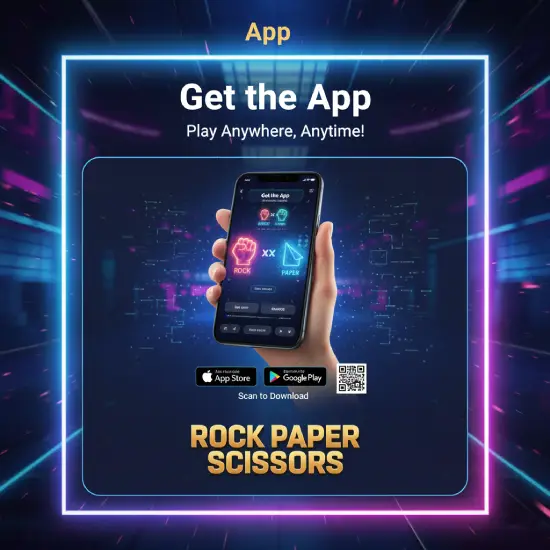
Rock Paper Scissors by InOut Games was made for mobile from the start, so the app puts the whole game in your pocket – quick rounds, clean animations and the same 96% RTP you get on desktop. You can install the dedicated app, or simply open the game in your phone’s browser; either way, it is free to try and takes only seconds to load. Below you will find how to get it, what it does, how to use it, and how it fits with playing at real-money casinos.
Why Choose the App
The app is more than a shortcut to the game – it is built to make short sessions smooth and comfortable on a phone. Its main strengths:
- Fast rounds. Each match resolves in a second or two, perfect for a quick break with no waiting.
- Modern, smooth design. A clean interface with fluid animations that looks sharp on any screen size.
- Fair, RNG-driven results. Every round is decided by a certified random number generator, so outcomes are independent and transparent.
- Profile and match history. Track your past rounds and stats from your account, so you can follow your own progress.
- One account everywhere. The same login works across the app, the mobile browser and desktop, keeping your progress in sync.
Compatibility and Requirements
The app is lightweight and designed to run on everyday phones, without a powerful device. Here is what you need:
How to Install the App
Getting the app takes just a couple of minutes. The steps differ slightly between Android and iOS.
On Android
- Open your device’s app store, or the official Rock Paper Scissors site.
- Search for Rock Paper Scissors by InOut Games.
- Tap Download and, if prompted, allow the installation to complete.
- Open the app, sign in or register, and you are ready to play.
On iOS
- Open the App Store or the official site on your iPhone or iPad.
- Search for Rock Paper Scissors by InOut Games.
- Tap Get and confirm the install.
- Launch it from your home screen and log in to start.
Prefer not to install anything? You can also just open the game in your mobile browser – the experience is nearly identical, with nothing to download.
Quick Registration
Creating an account is fast: tap Sign Up, enter your email, a username and a strong password, then confirm through the link sent to your email. Choose your currency and language so everything shows correctly from the start, and use real details, since they are checked later during verification when you withdraw at a casino. Once confirmed, you can log in on any device with the same account.
How to Use the App
Playing is as simple as the game itself: choose your stake, tap rock, paper or scissors, and the opponent’s move is revealed instantly by the RNG. Wins are added to your balance right away, and your profile keeps a history of past rounds so you can review your stats. Menus for settings, history and support are all a tap away, and the layout is built for one-handed play on the go. A full walkthrough is on our How to Play page.
Playing at Casino Apps
The InOut Games app is great for the game itself, but real-money Rock Paper Scissors is played inside licensed casinos – and most of the top ones have their own apps too. Brands like Stake, 1win, Leon, 1xBet and JetTon offer mobile apps or fast mobile sites where you can find Rock Paper Scissors or similar instant games, alongside their payment options and bonuses. Because they run in HTML5, you usually do not even need a download – the game opens straight in the app or browser. Check any welcome offer terms first on our Promo Code page, and confirm the casino is available in your region.
Benefits of Playing Through the App
- Play anywhere. A spare few minutes on the bus or the sofa is all you need for a few rounds.
- Faster access. The app opens straight to the game, with no address to type each time.
- Notifications. Stay up to date with new features and promotions when you opt in.
- Synced progress. Your account, history and balance follow you between phone and desktop.
- Lightweight and free. A small, no-cost download that runs smoothly even on older phones.
A Note on Offline Play
Some practice or demo-style rounds may work with a weak connection, but real-money play always needs a stable internet connection – both to place bets fairly and to keep your balance in sync. For the smoothest experience, use Wi-Fi or a solid mobile signal, especially before making a deposit or withdrawal at your chosen casino.
Final Words
The Rock Paper Scissors app is a fast, free and simple way to enjoy the game wherever you are, whether you install it or play in the browser. It keeps the fair 96% RTP, a clean design and your history in one place, and it pairs neatly with the casino apps you use for real-money play. As always, keep it fun: you must be 18 or older, play within a budget, and use the tools on our Responsible Gaming page.
18+. Play responsibly. Casino availability, bonuses and licensing vary by region – always check the operator’s terms and local laws before playing.